Loupe product tour
体验病理科研流程Explore a pathology research workflow
选一个感兴趣的方向,依次查看材料、证据、方法与计算成果。导览使用合成课题和真实界面截图,可直接浏览,无需注册;不会调用在线模型、上传文件或保存研究内容。Choose a topic and follow its materials, evidence, method and computed artifacts. This tour uses synthetic topics and real product screenshots and needs no registration. It does not call a model, upload files or save research content.
合成示例导览 · 不运行在线 AI / Synthetic walkthrough · no live AI calls
TROP2 跨扫描仪研究(示例) / TROP2 across scanners — example
围绕同一批切片的 TROP2 量化一致性,拟定跨扫描仪配对设计,明确需要补齐的证据。 / Plan a paired study of TROP2 quantification across scanners, with explicit pairing and a clear list of missing evidence.
01 · 项目与材料 / Project & materials
这一步看什么What to inspect
准备配对切片清单与扫描条件说明,补齐样本数量、染色和设备信息。 / Prepare a paired-slide list and scanning conditions, then supply sample counts, stains and equipment details.
预期交付Expected deliverables
方案参考稿 · 配对与一致性规则 · 待补材料清单 / Study-plan draft · pairing and agreement rules · missing materials
这里切换的是导览内容。截图展示产品界面,不是对当前题目的在线模型回答。These controls switch the walkthrough. Screenshots show the product interface, not a live model answer to the selected topic.
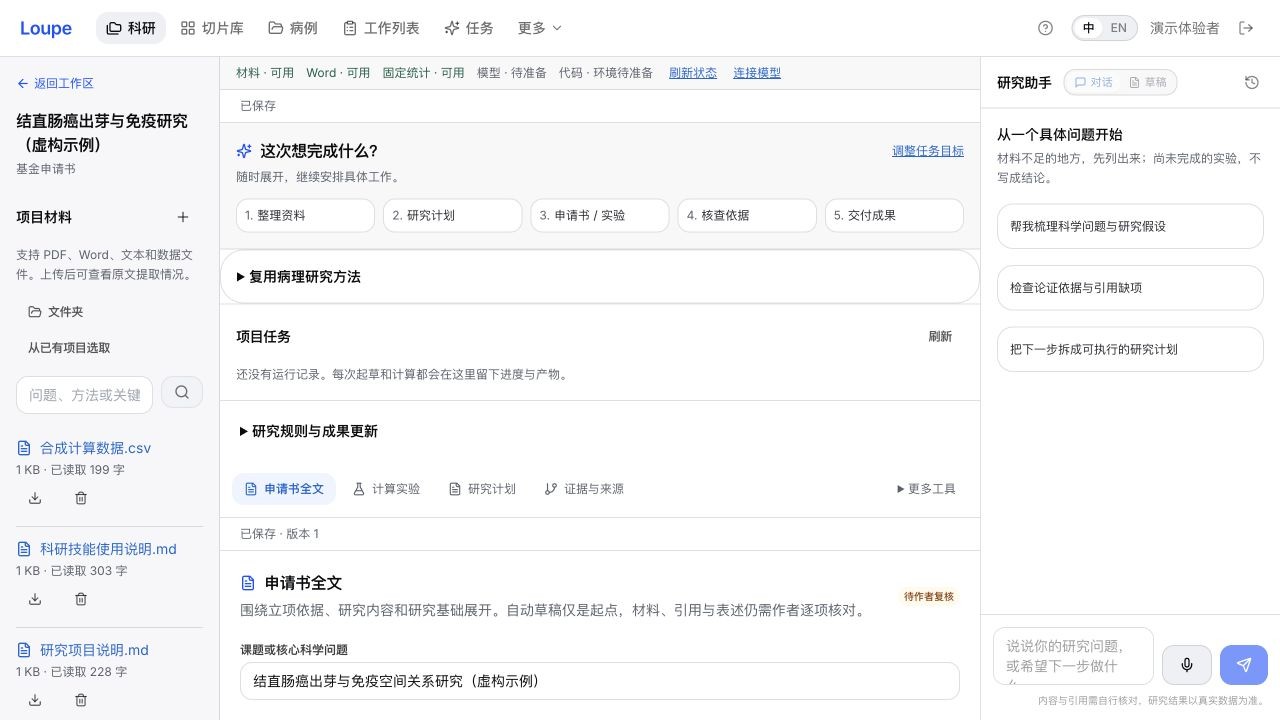
Local research workspace
在自己的电脑上继续Continue on your own computer
在独立演示中,亲手整理材料、修改草稿并运行固定统计。熟悉后再连接自己的模型,开始真正的研究项目。In the isolated local demo, work with materials, edit drafts and run fixed statistics yourself. Once familiar with the workflow, connect your own model and start a research project.